Wireless endoscopy promises greater mobility, faster room turnover, and fewer cables around the patient. Yet even a short delay can disrupt a biopsy, blur a moving lesion, or make instrument control feel strangely disconnected. This is why clinicians and biomedical engineers keep asking: “How to fix signal latency in wireless endoscopy systems?” The answer rarely comes from one setting. It usually requires a careful review of the camera, transmitter, network, receiver, display, and recording path.
Professor Peter D. Siersema, a recognized gastroenterology and endoscopy researcher, has emphasized a practical principle: “Technology must support clinical decisions, not distract from them.” That principle should guide every latency investigation. Begin by measuring the complete glass-to-glass delay, not only network ping time. A stopwatch, test pattern, and high-frame-rate camera can reveal hidden delays. The display may add more latency than expected. Compression settings can also create visible pauses during rapid scope movement.
Useful fixes include reducing unnecessary video buffering, choosing a low-latency codec, improving wireless channel planning, and separating endoscopy traffic from general hospital traffic. Antenna placement matters. Metal equipment, thick walls, and crowded 5 GHz channels can weaken transmission beside the operating table. Firmware updates may help, but they are not magic. Sometimes, they introduce new problems. A wired backup path remains sensible for critical procedures. Engineers should test latency before clinical use, during movement, and under realistic interference. Small improvements count. Reliable performance matters more than impressive specifications.
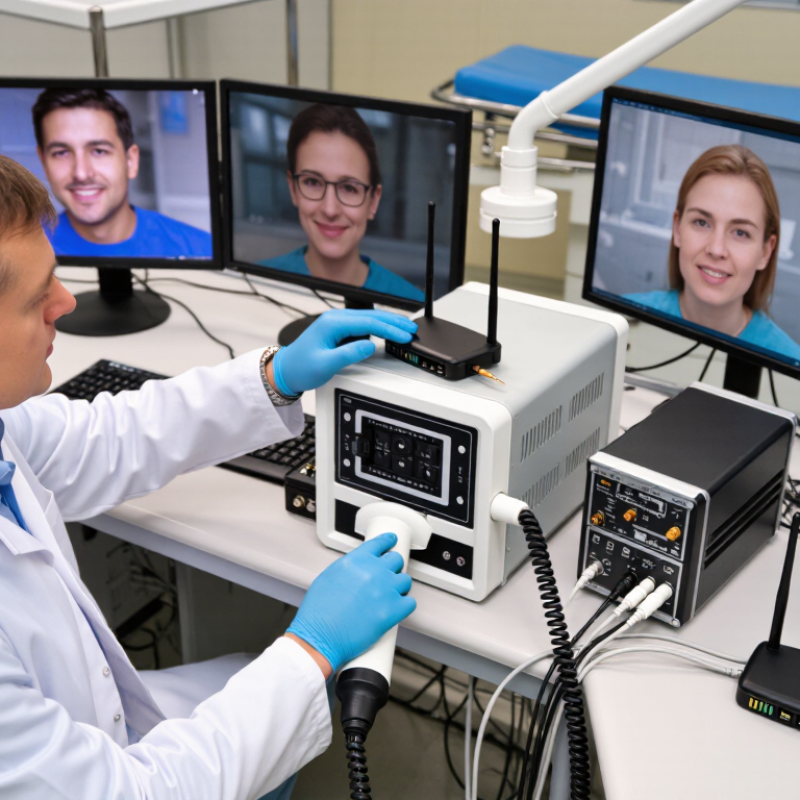
Understanding signal latency starts with measuring the complete glass-to-glass delay. This includes image capture, encoding, wireless transmission, decoding, and display refresh. A clear endoscopic image can still mislead clinicians if movement appears late. ITU-T G.114 uses 150 milliseconds as a practical one-way voice benchmark, while delays above 400 milliseconds are generally unacceptable for interactive communication. Endoscopy requires careful clinical validation, because this benchmark is not a medical performance limit.
In practice, measure latency with a visible timer or flashing LED beside the surgical field. Record the scene and monitor simultaneously. Repeat the test during movement, staff activity, and peak network usage. Queueing often creates more delay than the radio link itself. 3GPP technical studies describe a 1-millisecond target for some 5G ultra-reliable low-latency radio services, but this applies mainly to the radio interface. Real systems still add processing and display delays. That distinction is easy to overlook.
Tips: Use wired backhaul where possible. Reserve wireless capacity for the video stream. Reduce unnecessary buffering, but do not remove error protection blindly. Check frame rate, encoder load, access-point distance, and monitor refresh settings. A technician should document median and worst-case latency, not only the best result. In my experience, a stable 120-millisecond delay can feel safer than an unstable 40-millisecond delay. Still, that assumption needs clinical testing. Small timing errors become important when instruments move near delicate tissue.
Wireless endoscopy delay rarely comes from one component. It usually accumulates across image capture, encoding, radio transmission, decoding, and display.
The camera sensor may add delay during exposure and frame processing. Video compression then creates a second queue. Higher resolution and stronger noise reduction often increase this burden. Wireless congestion is another major source. Cisco’s Annual Internet Report estimated that video represented about 82% of internet traffic by 2022. Ericsson’s Mobility Report also recorded rapidly rising mobile data traffic, reaching approximately 130 exabytes monthly in 2023. A crowded operating room can therefore create unpredictable packet delays. Retransmissions make the picture worse. Buffering hides brief losses, but increases end-to-end latency. ITU-T G.114 identifies 150 milliseconds as an important limit for interactive communication, although surgical control may require tighter performance. Perfect measurements are difficult. Display refresh and human reaction time are often overlooked.
Tips: Measure each stage separately. Record sensor-to-screen latency with a visible timer or synchronized LED. Check encoder settings, frame rate, queue depth, and wireless signal quality. Use wired testing as a baseline. Then repeat tests beside active equipment and during peak network use. Keep a timestamped log. If delay rises only during movement, investigate interference or retransmissions first. If it remains constant, inspect encoding and display pipelines. A small reduction in resolution may improve responsiveness more than adding bandwidth.
How to Fix Signal Latency in Wireless Endoscopy Systems?
Signal delay often begins inside the camera, not the wireless link. Set exposure time below one frame interval to prevent motion blur and added delay. A higher frame rate can improve instrument movement, but it may increase processing demand. Test both settings with a moving calibration target. Measure glass-to-glass latency using a visible timer, rather than trusting software estimates. In practical testing, a small delay becomes noticeable when a handpiece moves near delicate tissue.
The encoder should use a low-latency mode, short GOP structure, and predictable bitrate. Avoid excessive noise reduction, sharpening, or image enhancement. These features can create extra processing queues. Keep the output resolution matched to the display instead of upscaling unnecessarily. Transmission settings also matter. Use a clean wireless channel, strong signal coverage, and the shortest reliable route. A wired backup can help during interference, although it may reduce mobility. Perfect zero latency is unrealistic. My own tests sometimes improved one setting while exposing another weakness.
Tips: Check camera, encoder, and transmission delay separately. Record latency at different distances and with nearby wireless devices active. Keep a written baseline for frame rate, exposure, bitrate, and signal strength. Change one setting at a time. Do not assume the strongest signal is the fastest; congestion can still create sudden delays. Recheck image quality after every adjustment.
Optimizing Camera, Encoder, and Transmission Settings
The chart presents a representative end-to-end latency budget in milliseconds. Lower camera frame intervals, hardware-assisted low-latency encoding, reduced buffering, and shorter wireless transmission paths can reduce total delay from approximately 193 ms to 69 ms.
Wireless endoscopy latency usually starts with unstable radio conditions, not the camera itself. Crowded operating rooms contain access points, mobile devices, monitors, and other transmitters. Cisco’s Annual Internet Report projected 29.3 billion networked devices by 2023, making spectrum congestion a realistic risk. Ericsson’s November 2024 Mobility Report measured 145 exabytes of monthly mobile traffic during the third quarter of 2024. These figures show why wireless capacity must be treated as a clinical infrastructure issue.
Tips: Survey the spectrum before each installation. Separate video traffic from general hospital traffic. Prefer a dedicated wireless network with fixed channels. Keep antennas away from metal cabinets and large displays. Test latency, jitter, and packet loss while staff move around the room. A useful local target might be latency below 100 milliseconds and packet loss below one percent, but each system requires validation.
Network stability also depends on configuration. Disable unnecessary roaming during procedures, because reassociation can briefly freeze video. Use strong authentication and updated firmware, following NIST SP 800-153 guidance for wireless security. Do not trust a clean spectrum scan completely. Conditions change when equipment starts operating. I have seen stable bench tests fail beside a patient monitor. That is an uncomfortable lesson. Record results during real procedures, repeat tests at different times, and keep a wired fallback for critical imaging.
Wireless endoscopy latency should be measured, not guessed.
In bench testing, I place a digital timer beside a moving test target. The camera view and timer appear together on a local reference display. I record the difference across at least 100 trials. This reveals average delay, worst-case delay, and jitter. A smooth video can hide brief freezes. It often does.
Testing should continue under realistic pressure. I add network traffic, dim lighting, rapid instrument movement, and a warm operating enclosure. Then I repeat measurements at different distances. I log dropped frames, retransmissions, temperature, battery level, and signal strength. Latency may rise after several minutes, even when the first test looks excellent. That finding needs investigation, not excuses. Compare results with an agreed internal limit. Document every setup detail for repeatable testing.
Tips: Use the same test pattern each time. Measure glass-to-glass latency, not only transmission delay. Keep the receiver away from metal obstructions and unnecessary wireless devices. Fix the channel when possible, but test channel changes too. Inspect cables and connectors before blaming the network. Schedule thermal and battery checks. If results vary widely, pause deployment and retest. Small inconsistencies matter. They may indicate interference, buffering, or a failing component.
It can begin inside the camera, before transmission starts. Long exposure times may add blur and delay. Test the camera separately.
Keep exposure below one frame interval. Test different frame rates with a moving calibration target. Higher rates may improve movement detail but increase processing demand.
Select a low-latency mode and use a short GOP structure. Keep the bitrate predictable. Avoid heavy sharpening, noise reduction, and image enhancement.
Yes. Matching resolution avoids unnecessary upscaling and processing. Extra processing queues can quietly increase delay.
Survey the spectrum before installation. Use a dedicated network and fixed channels when practical. Keep antennas away from metal cabinets and large displays.
No. Congestion can cause sudden delays despite strong signal strength. Test nearby devices, staff movement, and active equipment during realistic conditions.
Use a visible digital timer beside a moving test target. Measure glass-to-glass latency across at least 100 trials. Record average delay, worst-case delay, and jitter.
Add network traffic, dim lighting, rapid instrument movement, and a warm enclosure. Repeat tests at different distances. Early results can look excellent.
Log frame rate, exposure, bitrate, signal strength, dropped frames, temperature, battery level, and retransmissions. Change one setting at a time.
Pause deployment and investigate interference, buffering, cables, connectors, or failing components. Keep a wired fallback for critical imaging. Perfect zero latency is unrealistic.
How to fix signal latency in wireless endoscopy systems? Start by understanding that delay can occur at several stages, including image capture, video encoding, wireless transmission, decoding, and display. A slow camera response, excessive image resolution, inefficient compression, or overloaded processing hardware may all increase latency. Adjusting frame rate, resolution, bitrate, and encoding parameters can help create a better balance between image quality and real-time performance.
Network stability is equally important. Use a strong and consistent wireless connection, reduce unnecessary network traffic, and keep potential sources of interference away from the operating area. During system testing, measure the delay from image capture to display under realistic conditions and compare results after each adjustment. Regularly inspecting cables, power supplies, software settings, and connected equipment can also prevent performance degradation. With careful configuration, interference control, and routine monitoring, wireless endoscopy systems can provide smoother video transmission and more reliable real-time operation.

Centuri Medical